How to Use the Thanksgiving Event Shop and Season Pass
To play a Thanksgiving round, look for the STEP IN pads in the autumn event area. To spend Turkeys, find the Event Shop. To check what your XP has earned, open Pass. These three stops serve different purposes in Portal Tower Defense, even though they all carry Thanksgiving artwork.
Find the Thanksgiving match pads
In the November 15 event recording, BloxBuilder walks up to a row of dark pads in the grass. Each has STEP IN above it and the event name underneath. Look for both labels before joining a queue. The ordinary map entrances also launch matches, so the autumn scenery alone is a poor way to tell which queue you have found.
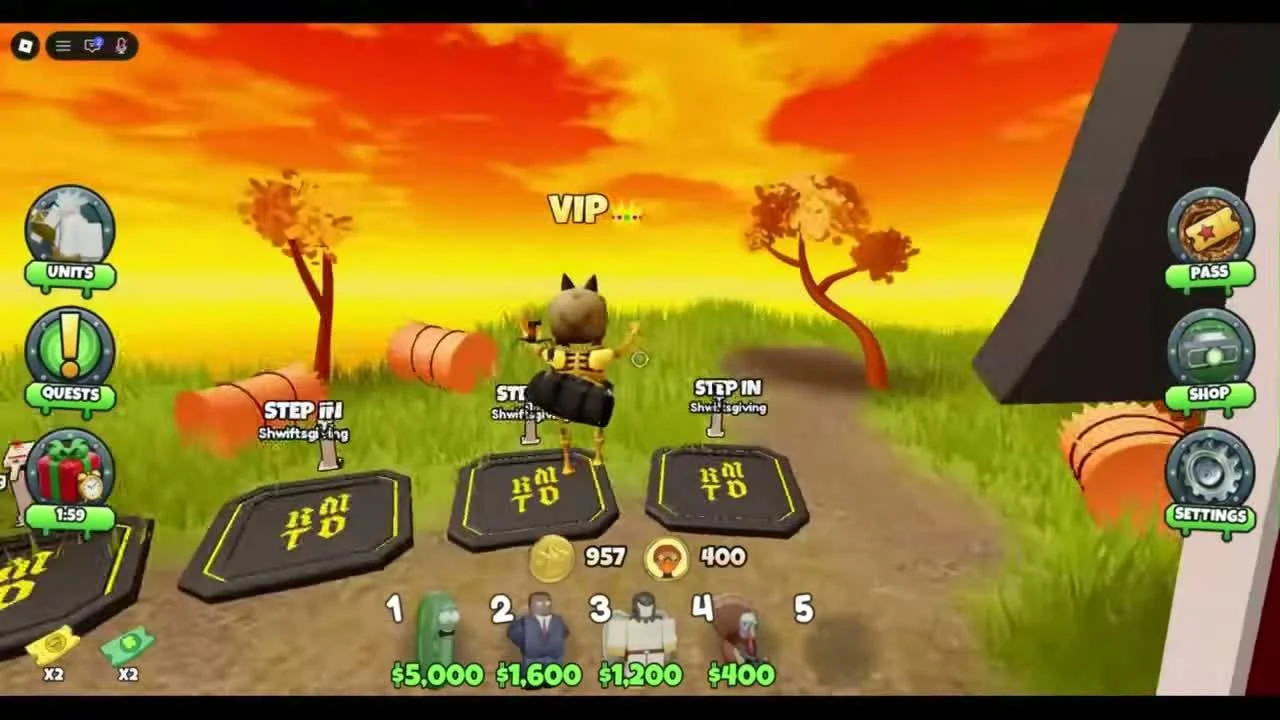
Keep match queuing separate from shopping as you explore the hub. The Event Shop menu appears beside a bright green portal. The menu title is an easy way to confirm that you have reached the shop. While walking around, notice the two currency icons along the bottom of the screen. The coin balance and the turkey balance are separate.
Compare Turkey Crate prices and outcomes
In MrAxolotl's November 27 recording, one Turkey Crate costs 1,000 Turkeys, three cost 3,000 and ten cost 10,000. The player has 150 Turkeys, so they need another 850 for one crate at those prices. An earlier recording on November 15 showed 2,000 for a single crate. Check the price beneath Buy 1 in your own Event Shop before planning a run.
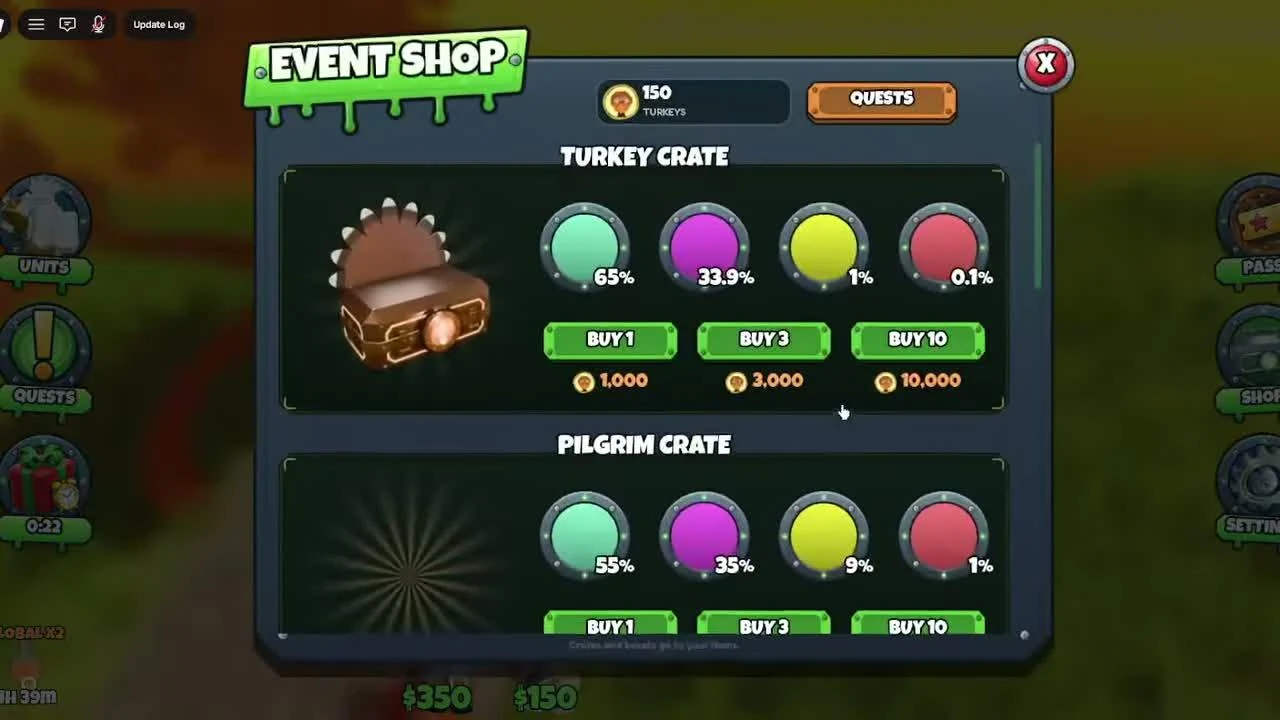
The larger amounts in the November 27 Turkey Crate row cost the same per crate. Its four outcome slots show 65%, 33.9%, 1% and 0.1%. The Pilgrim Crate immediately below has its own set of odds: 55%, 35%, 9% and 1%. Read across a single row when comparing. The number under a portrait is its displayed chance, while the number beneath a green button is the cost for that quantity.
Read the Free and Premium reward tracks
Open Pass on the right side of the recorded lobby screen. The top row is marked Free and the bottom row Premium. Between the rows, a number identifies each reward column. You can scroll ahead of your current tier. Seeing a crate in the window tells you where it sits on the track, even when it still shows a padlock.
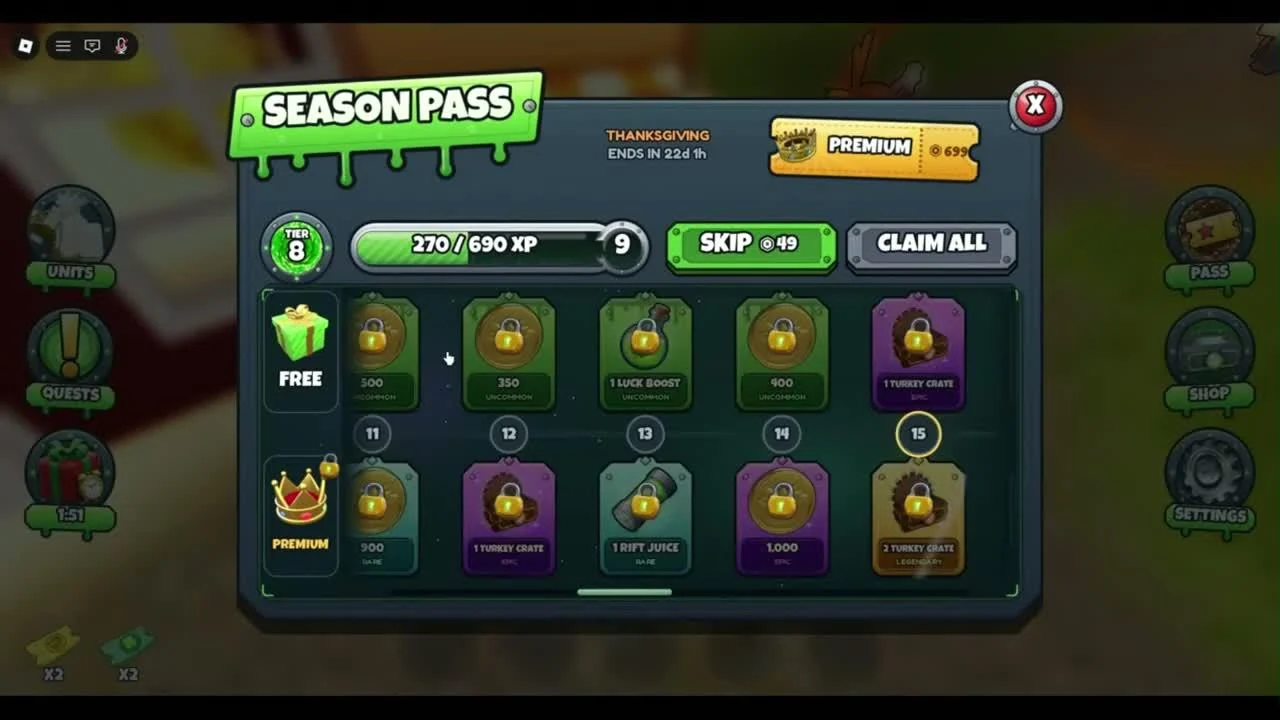
For example, the player is on tier 8 with 270 of 690 XP toward tier 9. At tier 15, the Free row shows one Turkey Crate and the Premium row shows two. Both are locked in this view. Read the row label, tier number and lock together before using Claim All to collect available rewards.
Tell match boosts from pass rewards
The shop window also lists multipliers that function very differently from the reward tracker. Double Turkeys is a shop listing for extra currency earned in matches, while the timed Turkey Boost item grants 2x Turkeys for one hour. That consumable displays your owned quantity beside a Use 1 button, and the interface gives no indication of how multiple active multipliers stack together.
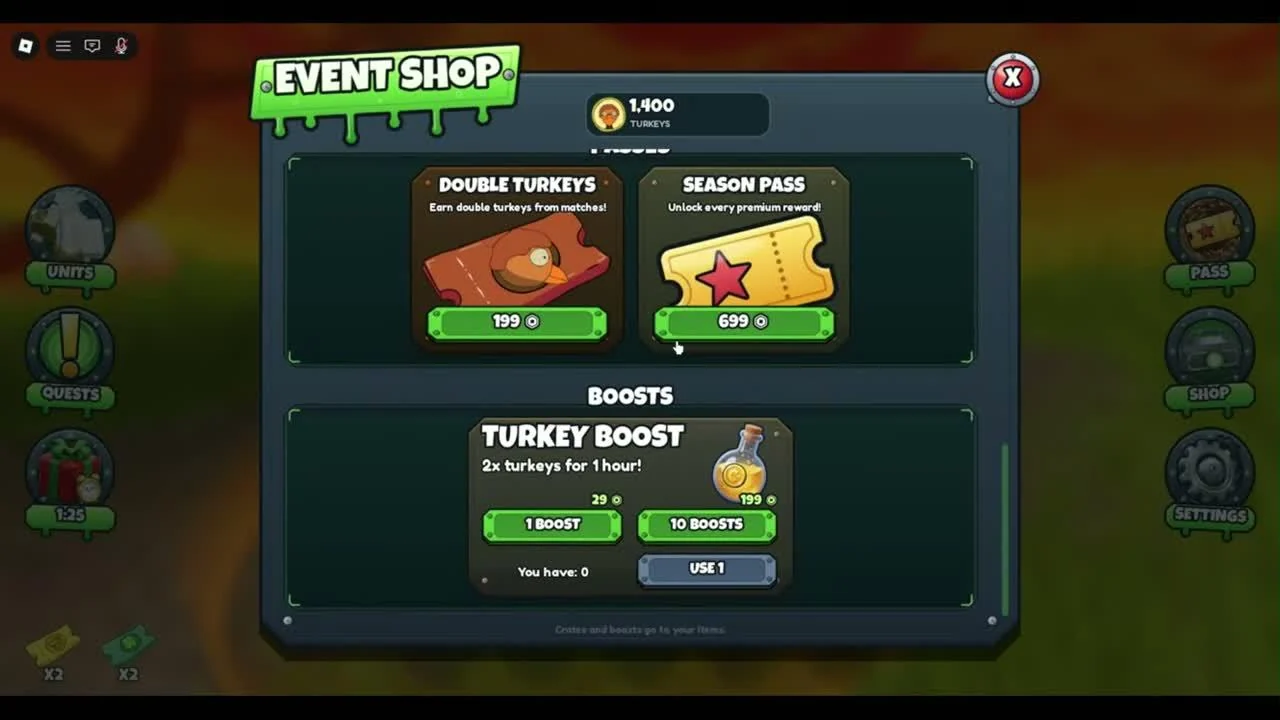
If you already own a timed boost, save it for a session when you plan to play matches. In the recording the shop says You have: 0, and Use 1 is grey. Buying the Season Pass is a separate choice about premium rewards. Check the row in Pass when looking for a tier reward and the owned count in Boosts when looking for a consumable.