How to Pick a Map and Difficulty in Portal Tower Defense
Choose a destination in Dimensions before opening a portal. That screen sets the map, room size and privacy. A separate vote chooses the difficulty once the match begins. If you are playing with friends, agree on both the map and the reason for the run before anyone opens the room.
Identify the three map previews
Your first decision in the Dimensions menu is choosing a destination. The official developer description highlights Isolated Desert and Doc's Garage, while Jerrykiller's recorded Dimensions menu displays three selectable locations named D-716 Isolated Desert, A-212 Airport, and C-137 The Garage. C-137 The Garage is the menu name for Doc's Garage. You can recognize each location by its preview image, showing red rocks for Isolated Desert, white and blue terminal seats for Airport, and an indoor workshop path for The Garage.
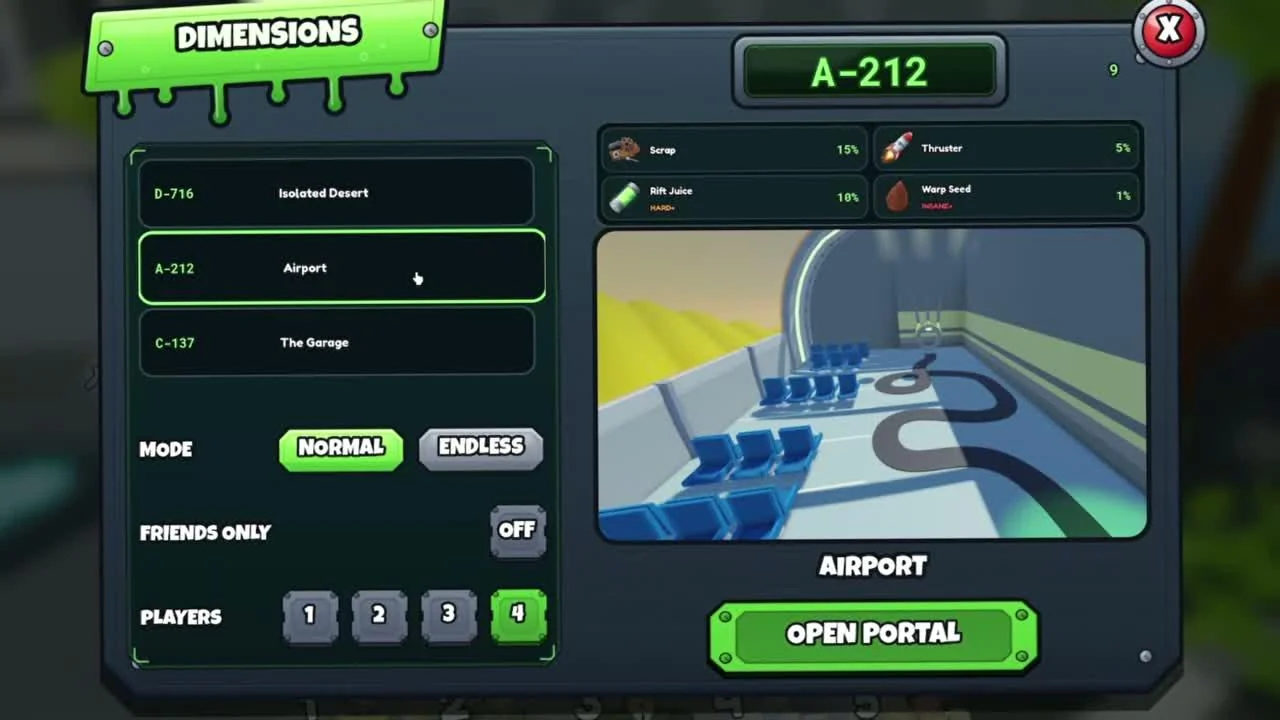
The Roblox badge list checked on November 28 includes separate wins for Isolated Desert, Garage and Airport. If a friend is trying to earn the Airport badge, look for the A-212 row and the terminal seats in the preview. Choosing a tougher wave tier on a different map will still put the group in the wrong place for that badge.
Set the room size and privacy
Once you click a destination row in the Dimensions menu, verify that the preview window displays the correct location name and code. Next, look at the lower controls observed in the recorded menu to configure your room rules before pressing Open Portal. You can switch between Normal and Endless modes, adjust the Friends Only toggle shown switched off in the recording, and select a player limit of 1, 2, 3, or 4.
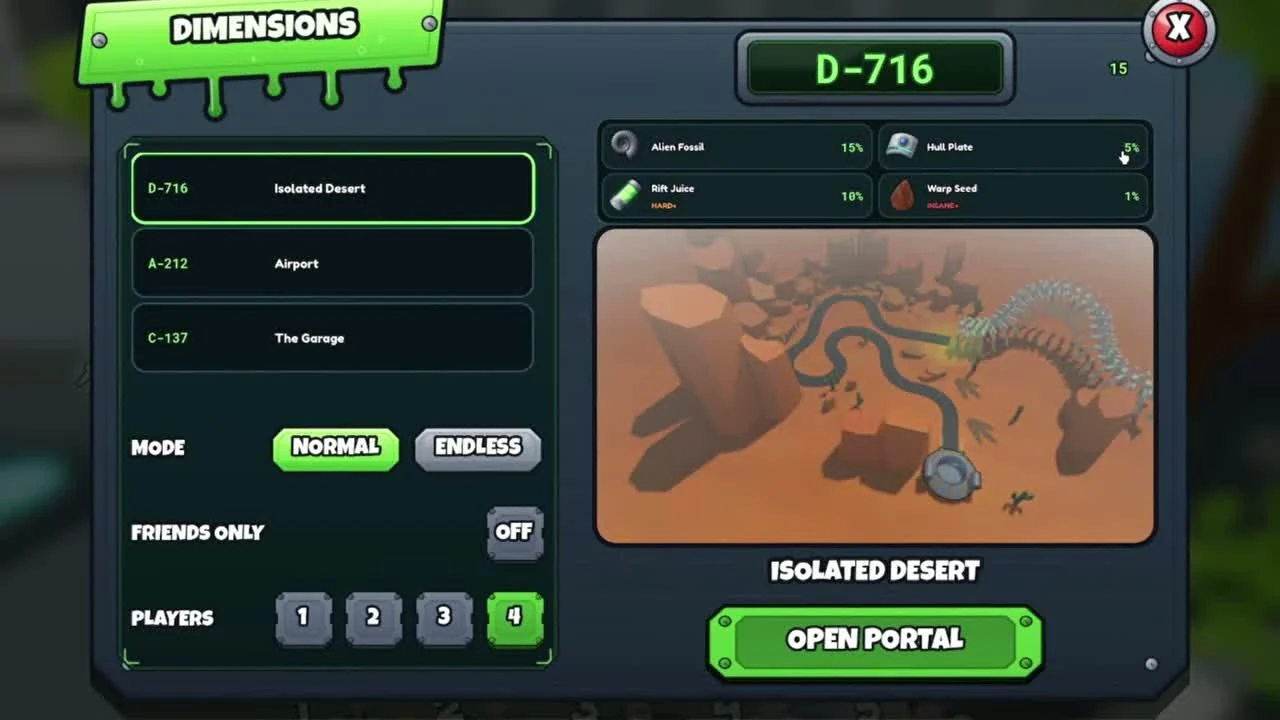
For a run with one friend, choose a capacity of two. Check Friends Only if you want to restrict who joins, then confirm the selected destination together before pressing Open Portal. The experience description allows solo play or up to three friends. A two-player room and a two-person group therefore fit without reserving two extra places.
Read the five difficulty cards
After loading into your selected destination, you will make a separate difficulty decision through an on-screen vote. In a recorded November 15 Thanksgiving event match by BloxBuilder, the Pick a Mode window offered five tiers with specific wave totals and unit rarity suggestions. That historical event screen showed Easy with 20 waves and Common+ recommended, Medium with 25 waves and Uncommon+, Hard with 30 waves and Epic+, Insane with 35 waves and Legendary+, and Nightmare with 40 waves and Mythic+.
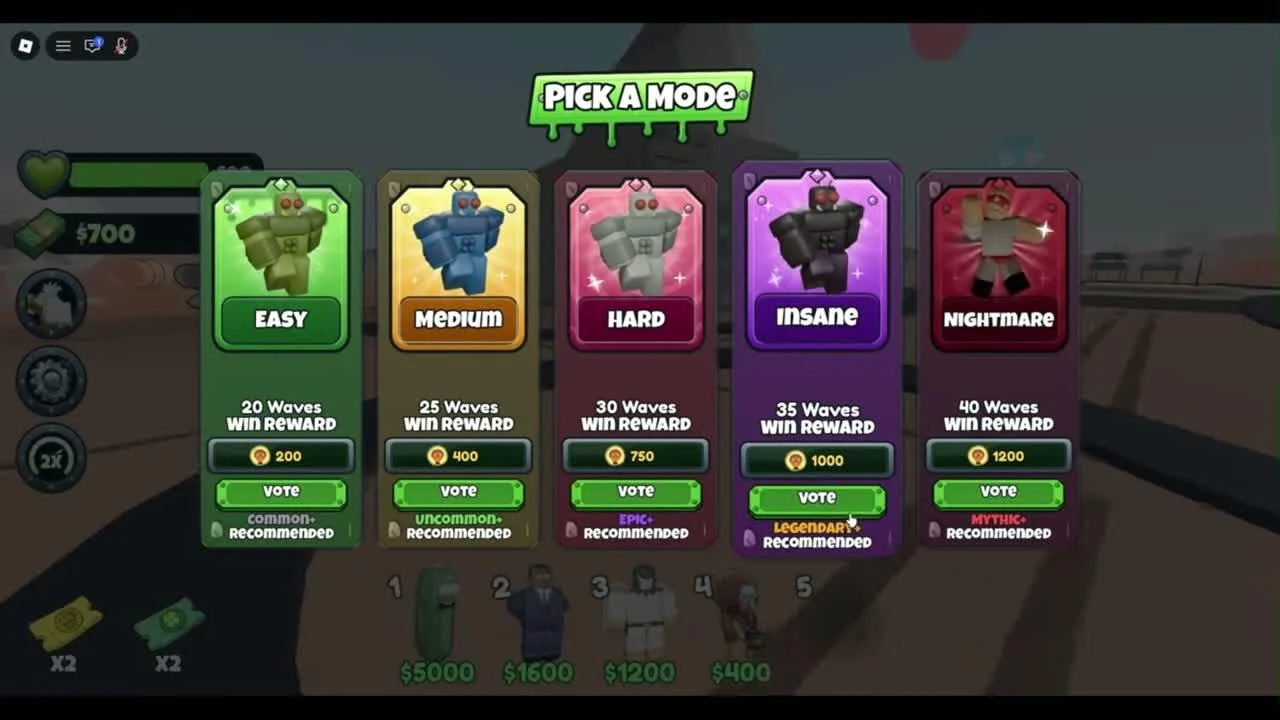
The official badge names agree with all five difficulty labels. The wave counts and rarity hints above come from the recorded Thanksgiving vote. Read your current vote cards if you are playing another mode. For a first clear, start with the shortest wave count your group sees. The word Recommended on a card describes the suggested team strength.
Pick the map and tier for your reward
For a material run, read the item panel above the map preview before you open the portal. The recorded panels show a different part at 5% in each location. Isolated Desert lists Hull Plate, Airport lists Thruster, and The Garage lists Pocket Reactor. Switching difficulty cannot fix a run launched on the wrong map for that part.
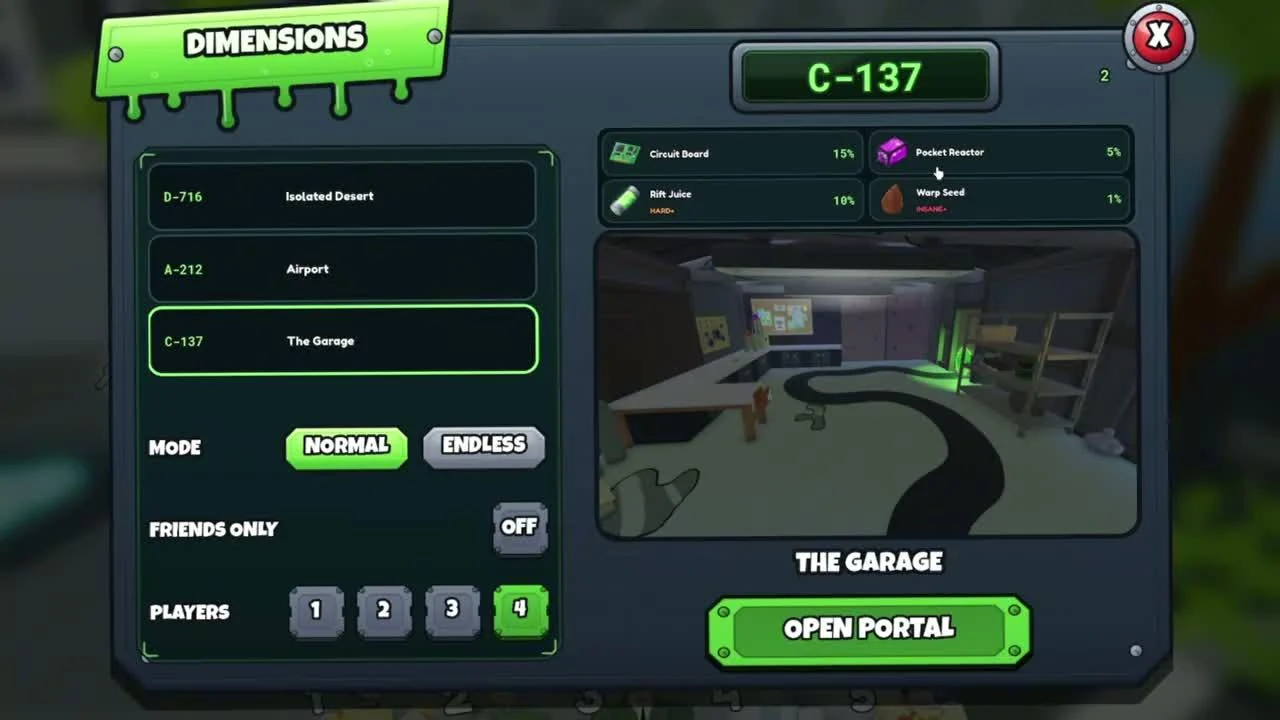
Difficulty matters separately for the shared drops. The recorded preview marks Rift Juice at 10% on Hard+ and Warp Seed at 1% on Insane+. For a Garage win badge, vote for a tier your group can finish. For a Warp Seed attempt in the same room, check that everyone is voting Insane or higher. A qualifying win still leaves the result to the displayed odds.